
How to Print Police Recruitment Print Slip 2026
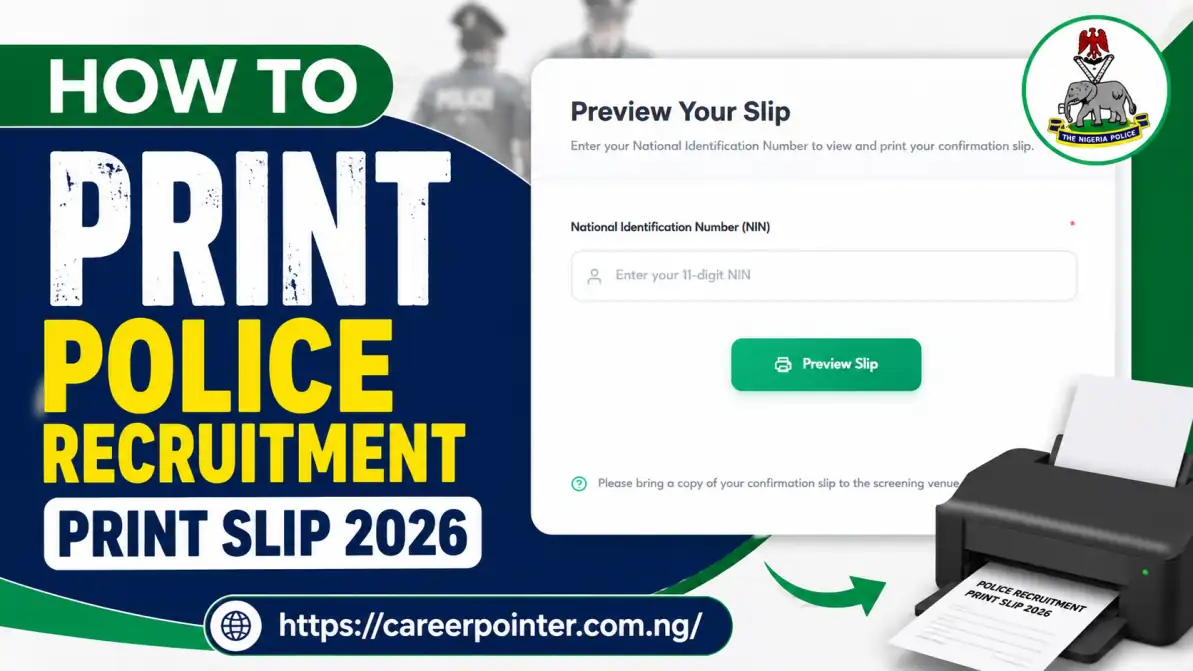
The steps on how to print Police recruitment print slip 2026 is simple. Just log unto npfapplication.psc.gov.ng/print-slip, enter your National Identification Number (NIN) in the space given and then click the preview slip to access your printout.
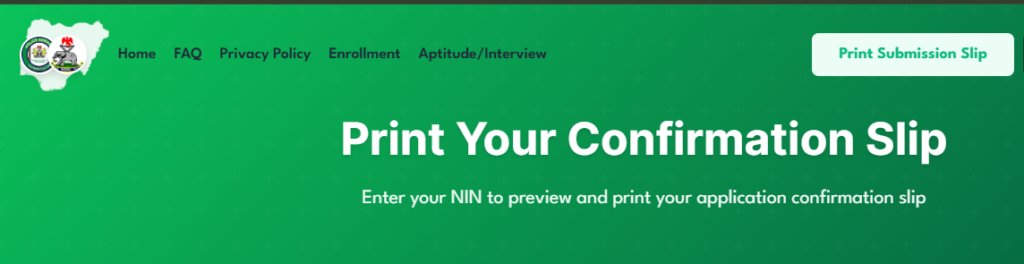
If you’re amongst those who submitted application for the Nigeria Police Force (NPF) recruitment of 50,000 constables and currently want to check application status or reprint your acknowledgement slip then read this article to the end as we walk you through the step by step guidelines.
Latest Update on the 2026 NPF Recruitment
The Nigeria Police Force (NPF) through the Police Service Commission (PSC) announced recruitment for the intake of 50,000 constable officers. The application portal was open in December 2025 and closed in February 2026.
After that, applicants were invited for a Computer Based Test (CBT) which lasted from 28th – 30th April 2026. Currently, the names of successful candidates have been released for both medical screening and training.
Sequel to this, in attempt to check the NPF shortlist 2026, candidates who missed their application number are searching for how to print police recruitment print slip 2026. Below are the steps on how to get it done.
How to Print Police Recruitment Print Slip 2026
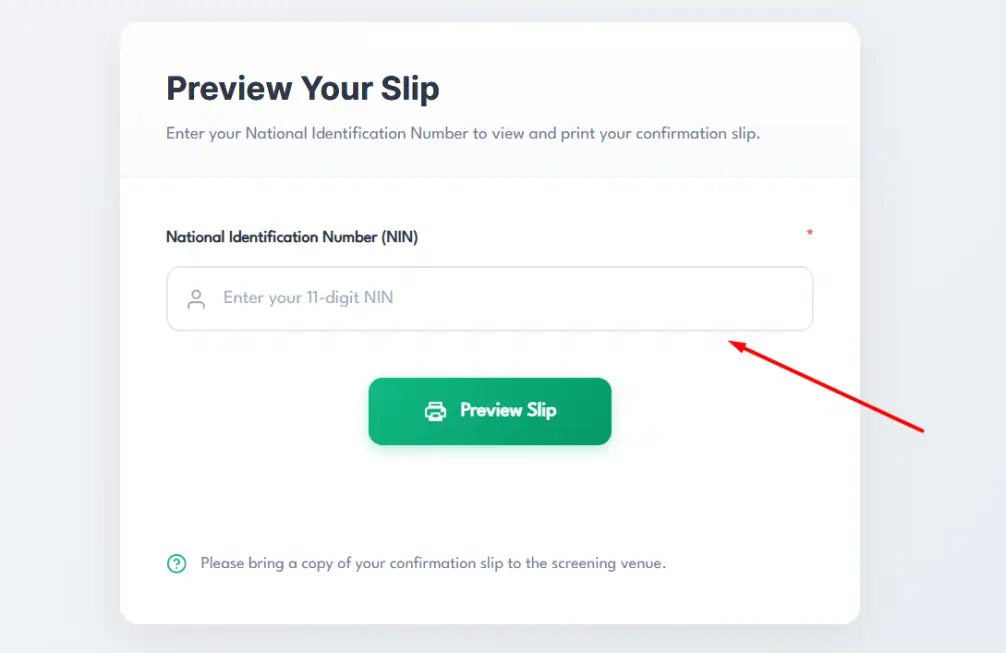
- Open the Police Service Commission (PSC) portal npfapplication.psc.gov.ng
- On the menu, click “print submission slip”
- Enter your 11-digit National Identification Number (NIN) in the space provided
- Click on the “preview slip” button to generate the PDF
- Proceed to download and print it out.
Here’s also a breakdown of the different slips you may need to print regarding the PSC recruitment exercise.
📣 Join Our WhatsApp Channel – Get Instant Job Alerts!
Be the first to receive recruitment updates, vacancies, and career tips
delivered directly to your WhatsApp — completely free.
⚠️ Disclaimer: This channel is independently managed by CareerPointer. We do NOT represent any government agency, company, or recruitment body.
1. Application Confirmation Slip
This is the slip you will have to print out immediately you have completed the online NPF application form. This contains data such as; your name, NIN, position applied for, and application number. It is important to keep this safe as it will be required throughout the recruitment process.
2. Examination Invitation Slip
This is the next slip candidates invited for the Computer Based Test (CBT would have ot print out. By default, it will be sent to your email but in case you’ve not received it, follow the steps below get it online.
- Visit the official PSC recruitment portal npfapplication.psc.gov.ng.
- Login to your dashboard using the same application email address and password
- On your dashboard, click on “Print Invitation Slip”
- Proceed to input your National Identification Number (NIN) in the space provided.
- Immediately the slip will load as PDF, download and print out.
3. Shortlist/Final List Confirmation Slip
This final list confirmation slip is otherwise known as College call-up letter/slip because it contains information such as your medical screening and training date, time and venue.
- Open PSC recruitment portal (npfapplication.psc.gov.ng).
- Scroll down to the bottom of the page
- Click “Print Call-up Slip”
- Enter either your application number of NIN
- Preview the slip, download as PDF and print it out.
Important Tips Before You Print
- To print either of these slips, you will need a good internet connection, thus always confirm you have one.
- After checking, if you get an error message, simple refresh the page or restart the process as the portal might be busy at the moment.
- Confirm that your name, passport photograph and other information on the slip are correct.
- Proceed to print at least two copies because one will be for you and the other shall be submitted during screening.
- We recommend you always keep the PDF copy saved either on your phone or email because it helps with quick recovery.
Caution: The Police Service Commission (PSC) have made it clear that every stage of the recruitment exercise is free of charge ranging from application, screening, CBT, shortlisting, slip printout etc.
Only trust information from the official Police Service Commission portal and verified government channels. Report suspicious accounts or messages to the appropriate authorities.
What to Do If You Can’t Access Your Slip
If you cannot access PSC portal, its slow or you’re unable to retrieve your slip, don’t worry, simply retry again later. Next option is to try again during off-peak hours (like early morning or late at night), clear your browser cache, or try a different browser or device.
If the problem persists, just know that it is because of portal traffic and will typically resolve on its own.




I want to see if they should list me
I want to see am in the shortlist
hassanyahaya12340@gmail.com
Nigeria polics force
Few
Ishakazakari ya.u gusau zamfara
My name nuhu Seth barsu
Leave a comment…NO DEY WHY SORY