
NSCDC Recruitment Portal Login Password 2025: Retrieve Details
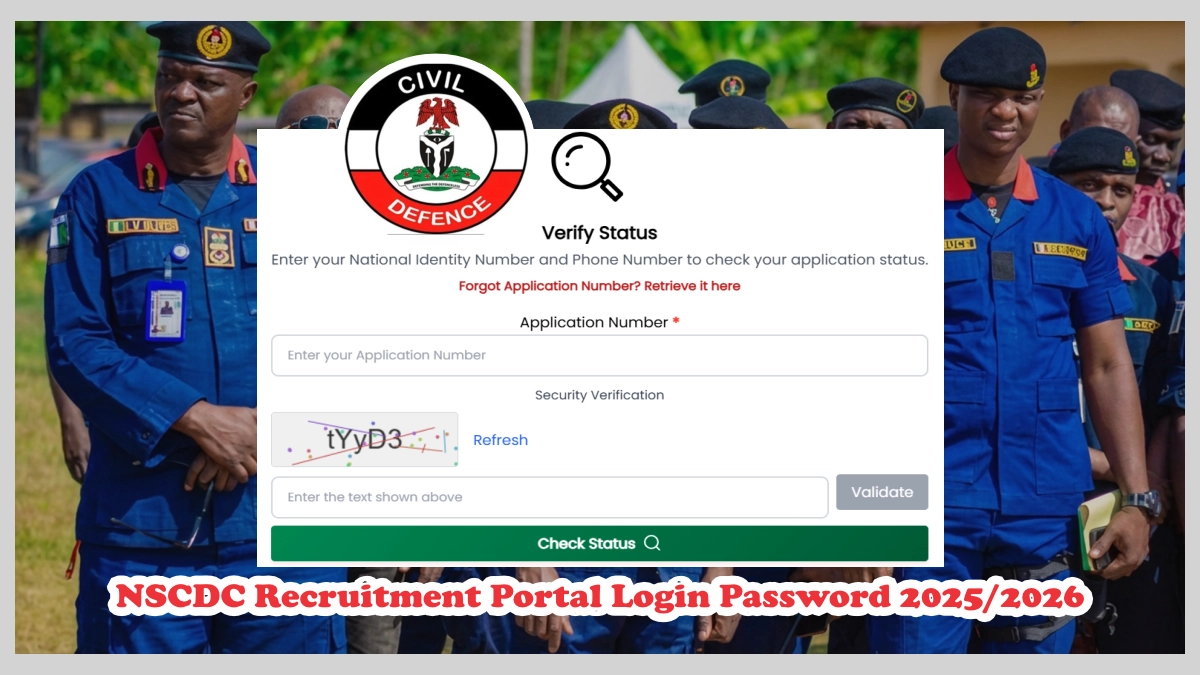
Have you forgotten your NSCDC recruitment portal login password 2025/2026? This is a common issued faced by applicants of the 2025 Civil Defence recruitment exercise so, you’re not along.
This guide unveils the step-by-step process on how to successfully retrieve your NSCDC recruitment portal login password 2025 and how to check verification status on CDCFIB portal. If you’re currently unable to access your dashboard, not to worry we’ve got you.
What is NSCDC Recruitment Portal Login Link?
The Nigeria Security and Civil Defence Corps (NSCDC) recruitment process is supervised by the Civil Defence, Correctional, Fire and Immigration Services Board (CDCFIB) thus, recruitment.cdcfib.gov.ng equally serves as the official NSCDC recruitment portal link.
The functions of this portal are:
- Registration/application for NSCDC recruitment exercises
- Uploading and updating of academic credentials and other documents
- Check application status
- Access NSCDC screening and CBT updates
- View or download the full shortlisted candidates
How to Check NSCDC Shortlisted Candidates
To confirm your status for physical screening, take the steps below.
- Visit https://recruitment.cdcfib.gov.ng
- Enter your application number, phone number or NIN
- Solve the security verification question
- Validate, and then click “check status” to see if you’ve been shortlisted.
Read Also: CDCFIB Shortlisted Candidates 2026 for Physical Screening, Portal Login
📣 Join Our WhatsApp Channel – Get Instant Job Alerts!
Be the first to receive recruitment updates, vacancies, and career tips
delivered directly to your WhatsApp — completely free.
⚠️ Disclaimer: This channel is independently managed by CareerPointer. We do NOT represent any government agency, company, or recruitment body.
Reason Why You Can’t Access NSCDC Recruitment Portal
The common issues that may eventually prevent you from accessing the NSCDC recruitment portal are as follows:
- Forgotten password
- Incorrect phone number entered
- Wrong NIN provided during login
- Typographical errors
- Browser cache issues
- Temporary portal downtime
- High traffic on the recruitment portal
To Before attempting password recovery, ensure you are using the same details submitted during application e.g. NIN, date of birth and name.
How to Retrieve Your NSCDC Recruitment Portal Password
To successfully retrieved you lost login information on the Nigeria Security and Civil Defence Corps recruitment portal, take the steps below.
- Open the CDCFIB portal https://recruitment.cdcfib.gov.ng
- Navigate to the login Section (https://recruitment.cdcfib.gov.ng/lookup)
- There, enter your National Identification Number (NIN), phone number or application number
- Answer the security questions
- Click “retrieve” to get back your information
Note: If your NIN, application or phone number inputted is wrong, you might not be able to successfully retrieved your password.
How to Recover Your NSCDC Login Using NIN and Phone Number
Go to https://recruitment.cdcfib.gov.ng/lookup, enter your National Identification Number (NIN) or registered phone number and click retrieve to get new password and application number.
In case you no longer have access to the phone number used for application, you may need to contact CDCFIB recruitment support for assistance.
Read Also: Nigerian Fire Service Recruitment Portal 2025 Login recruitment.cdcfib.gov.ng
What If I Forgot Both My Password and Registered Phone Number?
In cases where you do not have access to both your password and registered phone number, the very best remedy would be your National Identification Number (NIN).
Try the following:
- Review your original application records.
- Check acknowledgement slips printout or the one saved after application.
- Search your email inbox for recruitment confirmation messages from CDCFIB or NSCDC.
- Contact CDCFIB support if none of the above steps didn’t work.
Last remedy, visit https://recruitment.cdcfib.gov.ng/lookup, enter your National Identification Number (NIN), enter your name, answer the reCAPTCHA question.
Common NSCDC Recruitment Portal Login Errors and Solutions
“Invalid Login Credentials” This usually means that you entered the wrong password, incorrect NIN, or phone number. What you should do is cross-check the information you entered to confirm spellings are correct.
“Validation Failed” In this situation, it means the details you entered does not match what’s already on NSCDC portal records but if you’re so sure of the details then maybe the portal is experiencing technical glitch. What you should do is simply wait and then try again later.
“Portal Not Loading” This indicates that many applicants are trying to access the NSCDC recruitment portal at the same time. In such cases, the best thing to do is use another browser, clear browser cache or switch the network you’re using.
Tips to Keep Your NSCDC Recruitment Account Safe
To avoid login challenges in the future:
- Ensure you save your password once retrieved.
- Still keep a copy of your acknowledgement slip.
- Ensure you NIN is always handy.
- Always use active phone number and email address.
- Avoid sharing your login details.
Important Warning: NSCDC recruitment portal login password can be retrieved online at CDCFIB page https://recruitment.cdcfib.gov.ng/lookup for free. Also, applicants are not charge at any phase of the recruitment exercise, thus beware!
Frequently Asked Questions (FAQ)
What is the official NSCDC recruitment portal? The official Nigeria Security and Civil Defence Corps recruitment portal is recruitment.cdcfib.gov.ng.
How do I retrieve my NSCDC recruitment portal login password? Open https://recruitment.cdcfib.gov.ng/lookup, enter your NIN or phone number then click retrieve.
Can I log in with my NIN? Yes, CDCFIB recruitment portal allows candidates to use their registered NIN to access the dashboard.
Final Words from CareerPointer
To retrieve your NSCDC recruitment portal login password 2025 is not difficult, simply visit https://recruitment.cdcfib.gov.ng/lookup, enter your National Identification Number (NIN) or phone number used for application and then click retrieve.





atomajamba517@gmail.com
sihimitsahyelj@gmail.com
shafiua2n@gmail.com
Abdullahiabubaka
Usman
abduljalallawan57@gmail.com
Yogba road nasme north bank makurdi