
How to Check Shortlisted Candidates for CDCFIB Physical Screening 2026
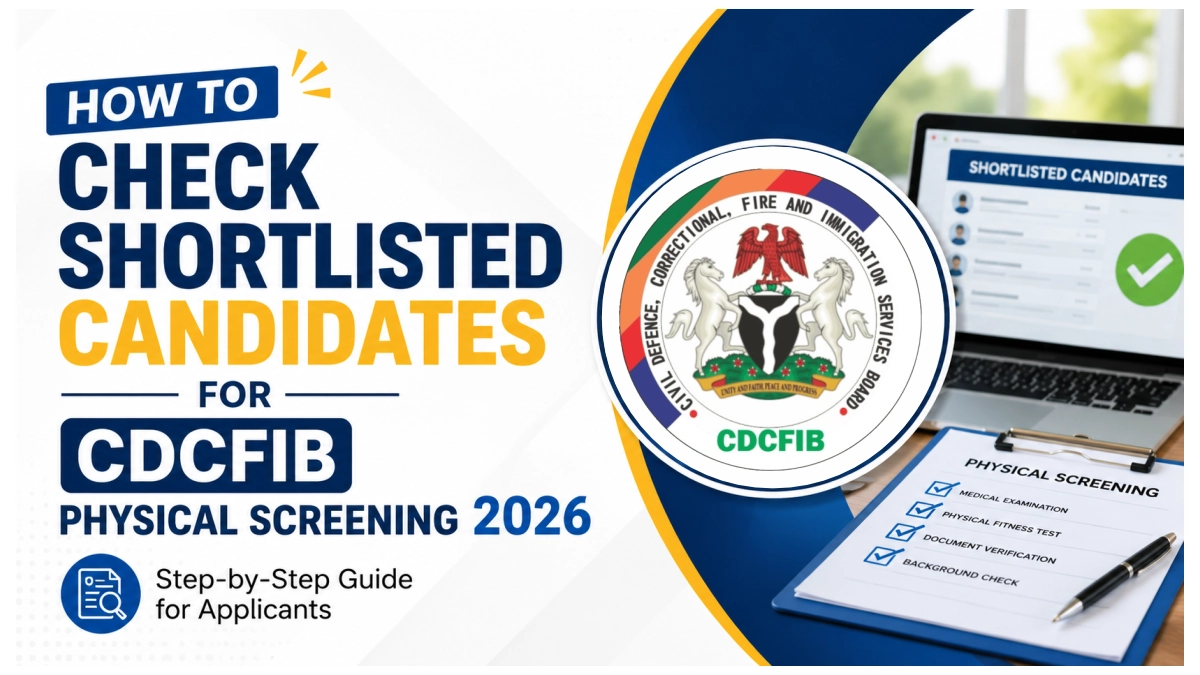
This article shows how to check shortlisted candidates for CDCFIB Physical Screening 2026. If you participated in the 2024/2025 Civil Defence, Correctional, Fire and Immigration Services Board (CDCFIB) recruitment exercise we’re glad to notify you that the physical screening date is out.
As officially announced by the Civil Defence, Correctional, Fire and Immigration Services Board (CDCFIB), the 2026 physical screening will hold from 15th – 20th June 2026 at designated centres across Nigeria including the FCT.
How to Check Shortlisted Candidates for CDCFIB Physical Screening 2026
Step 1: Visit CDCFIB Recruitment Portal at recruitment.cdcfib.gov.ng.
Step 2: Login using your NIN, phone number or application ID.
Step 3: Complete the security verification question
Step 4: Proceed to click the check status
📣 Join Our WhatsApp Channel – Get Instant Job Alerts!
Be the first to receive recruitment updates, vacancies, and career tips
delivered directly to your WhatsApp — completely free.
⚠️ Disclaimer: This channel is independently managed by CareerPointer. We do NOT represent any government agency, company, or recruitment body.
How to Retrieve my CDCFIB Application Number
- Visit https://recruitment.cdcfib.gov.ng/lookup
- Provide your National Identification Number (NIN)
- Phone number and surname
- Next solve the security question
- Then click retrieve application
Immediately a dialogue box will pop-up showing your retrieved application number. Copy or write out the number, return to CDCFIB login page and input the data to access your dashboard.
Related news:
- Is CDCFIB Physical Screening Date on 15 June 2026?
- Nigerian Fire Service Recruitment Portal 2025 Login recruitment.cdcfib.gov.ng
- NSCDC Recruitment Portal Login Password 2025: Retrieve Details
Latest Dates for CDCFIB Recruitment 2024/2025
Before you do anything else, save these dates. Missing any of them could cost you your place in this recruitment exercise.
| Stage | Date |
| When was CBT Conducted | November 2025 |
| When is CDCFIB Verification Portal opening? | 15 June 2026 |
| When is CDCFIB Verification Portal closing? | 20 June 2026 |
| When is CDCFIB physical screening date? | 22 June 2026 |
The verification portal will only be open for six days, thus, proceed now to upload required documents.
Overview of CDCFIB?
The Civil Defence, Correctional, Fire and Immigration Services Board (CDCFIB) was established by the federal government of Nigeria for the sole purpose of recruiting personnel into the Nigeria Security and Civil Defence Corps (NSCDC), Nigerian Correctional Service (NCoS), Federal Fire Service (FFS) and the Nigeria Immigration Service (NIS).
The Board oversees the entire recruitment process starting from application, first shortlist for CBT, physical screening and then appointment. The selection process is duly based on merit.
Am I Shortlisted? How to Check Your CDCFIB Status Online
Based on the announcement made by the CDCFIB Secretary, Maj.-Gen. Abdulmalik Jibril (rtd), all applicants who participated in the November 2025 CBT must visit the recruitment portal to verify their information.
The process is not difficult it’s something you can do by yourself.
- Open your browser and go to CDCFIB official recruitment portal at recruitment.cdcfib.gov.ng. This is the only approved portal to carry out your verification.
- Log in using your Application Number/NIN/Phone Number: The sweetest part is that, you can easily login to CDCFIB portal using your application number or NIN or phone number. This must be the same you used during registration.
- Check your shortlist status: To confirm your shortlist status navigate to https://recruitment.cdcfib.gov.ng/lookup and then enter your application ID, phone number or phone number.
- Upload your credentials for verification: If you have been shortlisted, proceed to upload original copies of all required documents/certifications.
- Select your preferred screening date: Shortlisted candidates are allowed to select a suitable screening date, time and venue for the CDCFIB physical screening which will commence on 22 June 2026. Choose a date you’re sure not to miss as that will lead to automatic disqualification.
- Download and print your screening invitation slip: Once you have concluded with updating and verifying your information on CDCFIB portal, you can now proceed to print out the screening invitation slip.
- Attend your physical screening on the selected date: It is pivotal that you arrive the screening venue early and on the date you selected. Carry along with you copies of relevant certifications and supporting document.
Documents to Upload for CDCFIB Physical Screening
The specific documents you will upload and also take to the screening venue are:
- National Identification Number (NIN) slip
- SSCE (O’level result)
- Undergraduate certificate
- Professional certificate
- Certificate of Birth
- NYSC Certificate
- Recent passport photographs (confirm the required number on the portal)
- Screening invitation slip
What Happens at CDCFIB Physical Screening?
The physical screening is mainly for the verification of relevant documents.
- Document Verification: This is the first and most critical part where CDCFIB officials will examine your documents to ensure information that appears their match with what was provided on the portal.
- Physical Fitness Assessment: In this session, candidates’ height, weight and generally wellbeing is examined to ensure it matches with paramilitary prerequisite.
When exactly will CDCFIB portal open and close for status verification?
The CDCFIB recruitment portal will be open for status verification from Monday, 15th June till Saturday, 20th June 2026.
What if I forget my Application Number?
If you’ve forgotten your CDCFIB application number, simply visit https://recruitment.cdcfib.gov.ng/lookup, enter your phone number or NIN and click retrieve.
Can I change my screening venue or date after selection?
It is important you make your selection carefully because once its done, you can correct.
I have not received any SMS or email. Does that mean I was not shortlisted?
Whether you’ve received an SMS or not, simply visit https://recruitment.cdcfib.gov.ng and enter your application ID/NIN to confirm if you’ve been shortlisted for physical screening.

babakaramiusman89@gmail.com
akandeshina71@gmail.com
I didn’t see my name on the shortlist
Kabala doki kaduna
sihimitsahyelj@gmail.com
Hey
Please help me about my name am perform exam pot am not see my name please help me about it
kidasmoney@gmail.com
Civil defence
Civil defence
Civil defence service
Muhammedshafiu1@gmail.com
ezinnea447@gmail.com
benjaminsalisu10@gmail.com
abdullahiismailasenya@gmail.com
I haven’t seen my shortlist please help me in the name of Allah
I want to check my shortlist for immigration
uh79530@gmail.com
amajamaamajama108@gmail.com
Muhammedshafiu1@gmail.com
peterendurance159@gmail.com
hassanisah999999@gmail.com
How can I check qualify candedate
mondayjoshuaa394@gmail.com
khalifamusa1918@gmail.com
ismailabubakarzaria@gmail.com
Jamiluahmedhalilu20255@gmail.com
wubonsunday@gmail.com
57883041631
https//recruitment.cdvfi b.gov.ng portal
Firstly I am really interested to be become one of the staff of this staff
If I wasn’t properly informed and I missed out participating in the physical screening, can anything be done again, like can the portal be reopened or something?